Redesigning Field Work with Voice-First AI
Background
We helped technicians cut down task time, reduce errors, and work hands-free using a voice-activated Copilot integrated into their mobile app.
Overview
Maintenance teams were losing time tapping through screens while juggling tools in the field. We designed a voice-powered Copilot that lets technicians complete tasks, log updates, and access critical info without touching their device boosting safety, speed, and accuracy.
Technician AI

Problem
Where technicians struggle most
Assessing Information
The challenge is enabling technicians to access asset details, maintenance histories, and troubleshooting guides without the need for manual navigation.
Updating Tasks
Another issue is enabling technicians to log work progress, record observations, and close work orders verbally, ensuring real-time data capture without manual input.
Generating Reports
Technicians are having trouble generating reports and summaries of completed tasks without manual effort, making documentation time-consuming and inefficient.
Solution
Bringing voice-first AI to the field
Research-driven integration
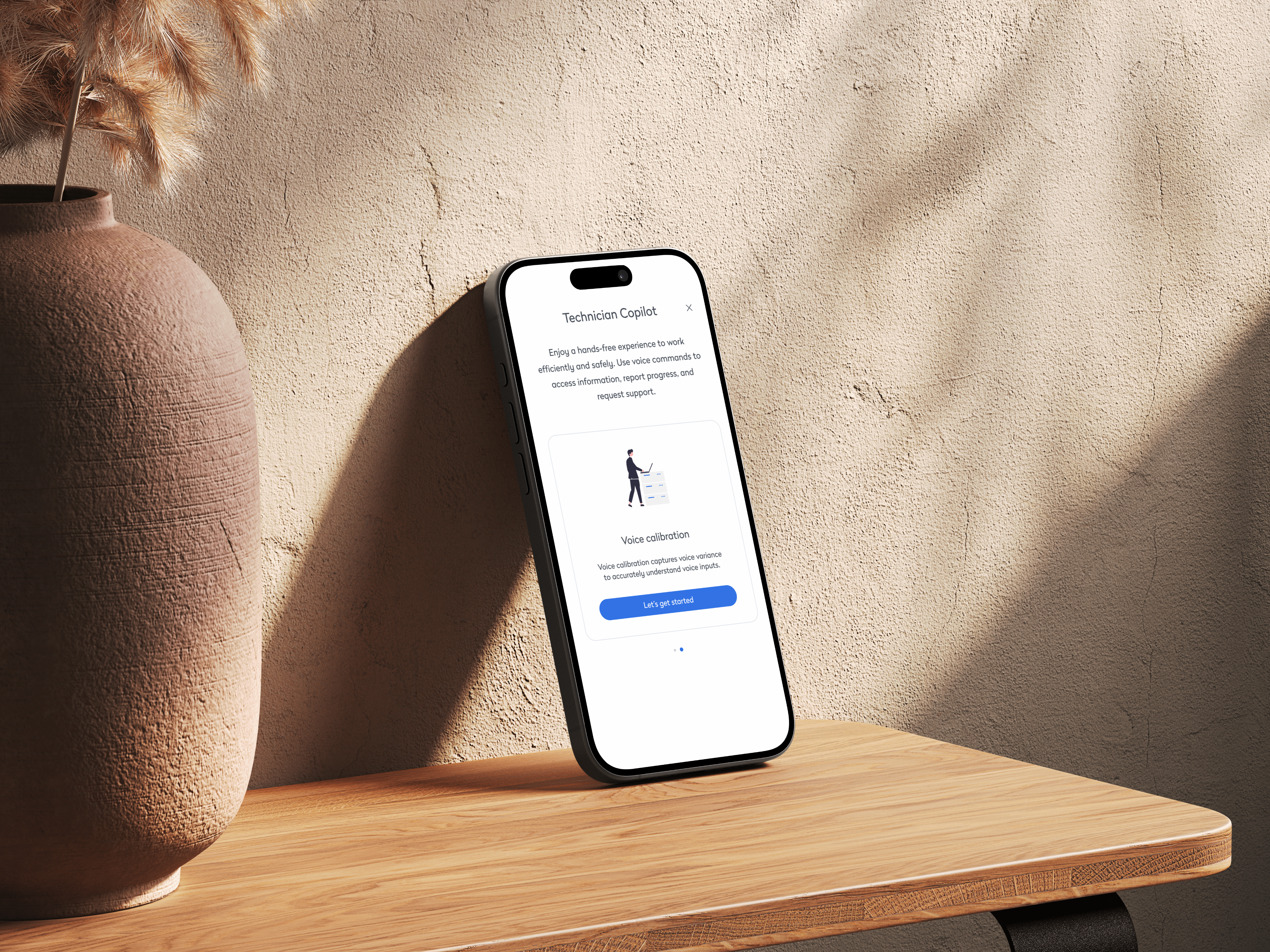
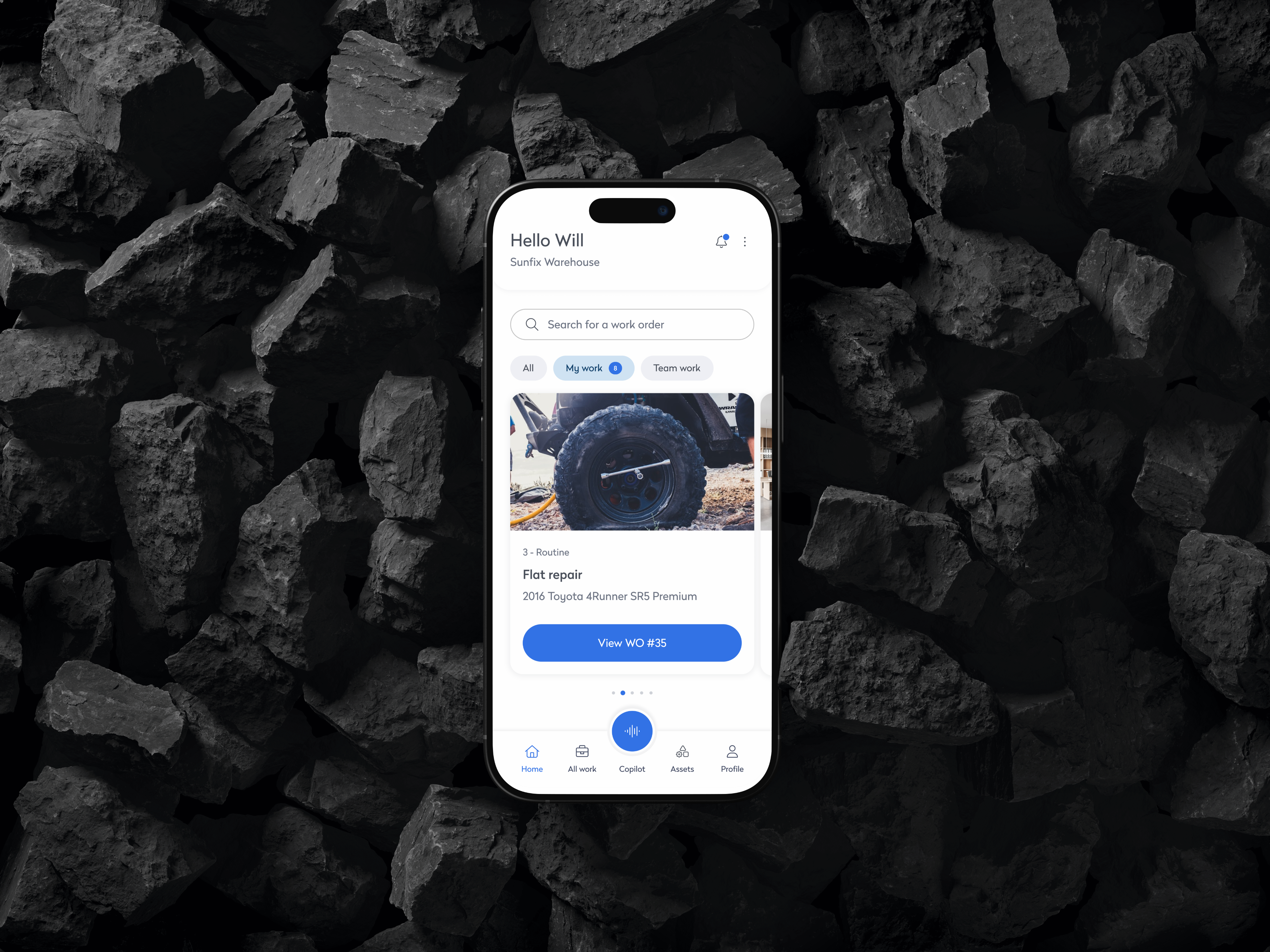
By observing real technicians on-site, we discovered their biggest bottleneck was multitasking between tools and screens. We embedded a voice-activated Copilot directly into the app’s main nav, allowing hands-free access to guidance, task updates, and asset info all without disrupting the workflow.
Hands-free task management
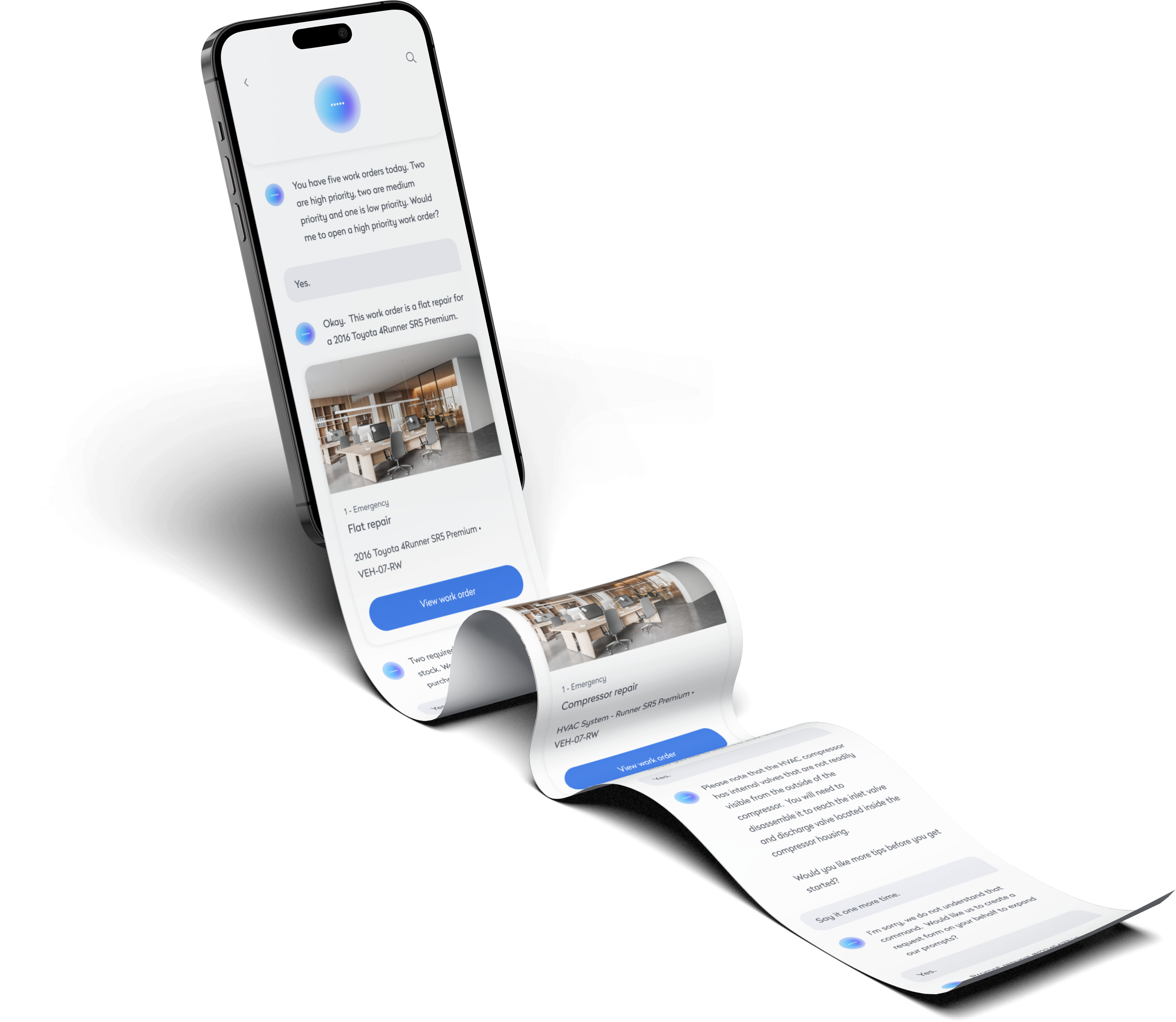
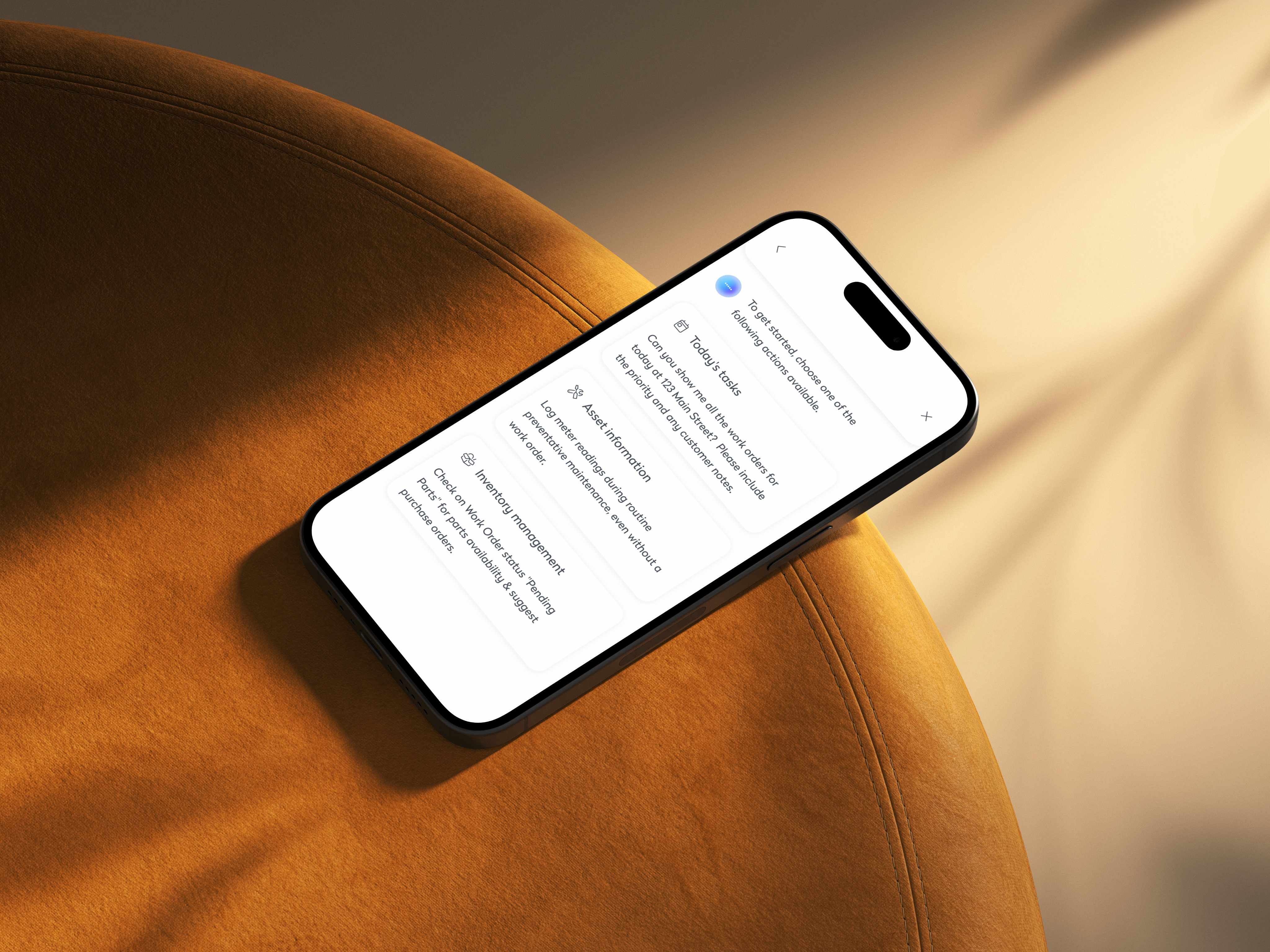
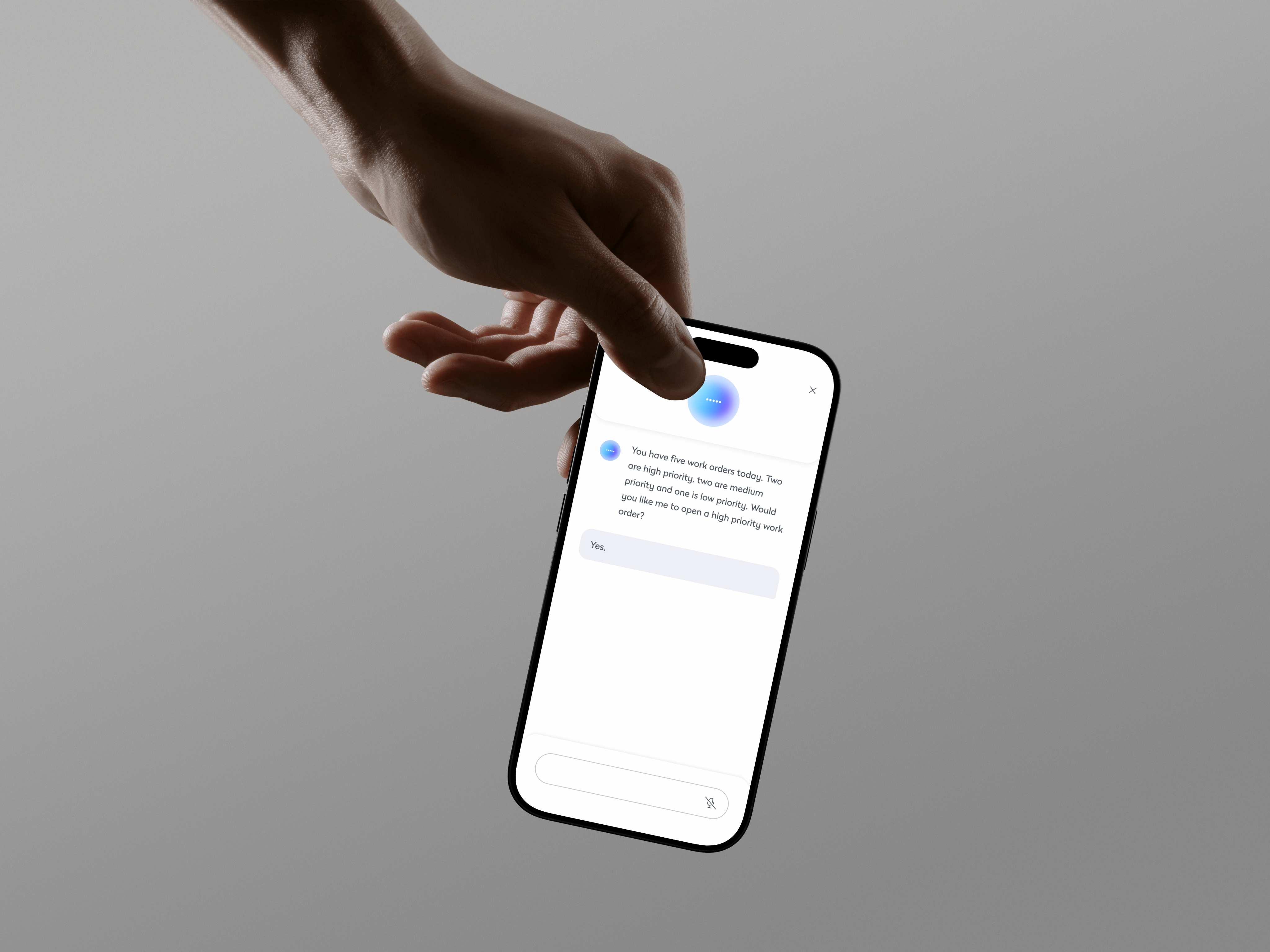
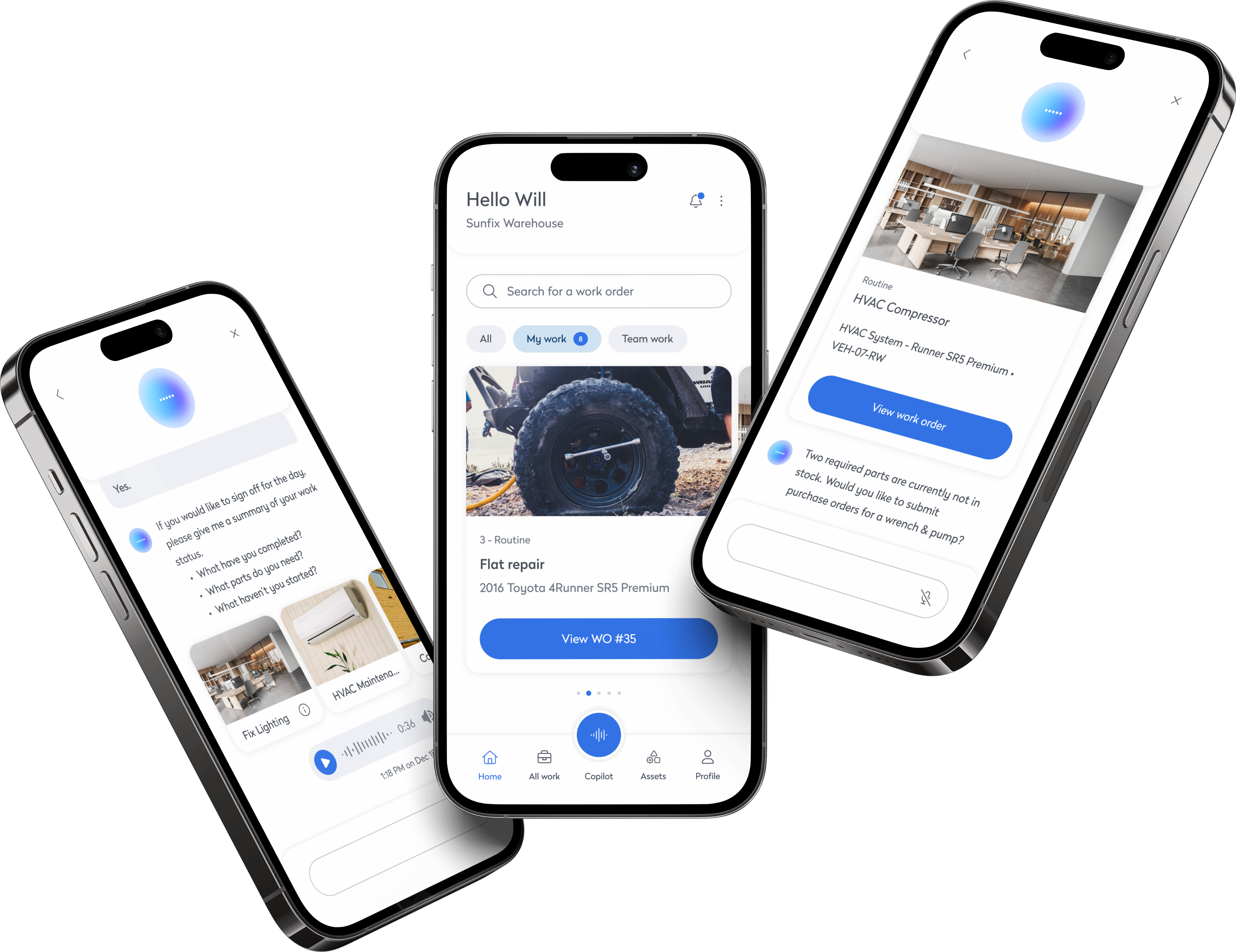
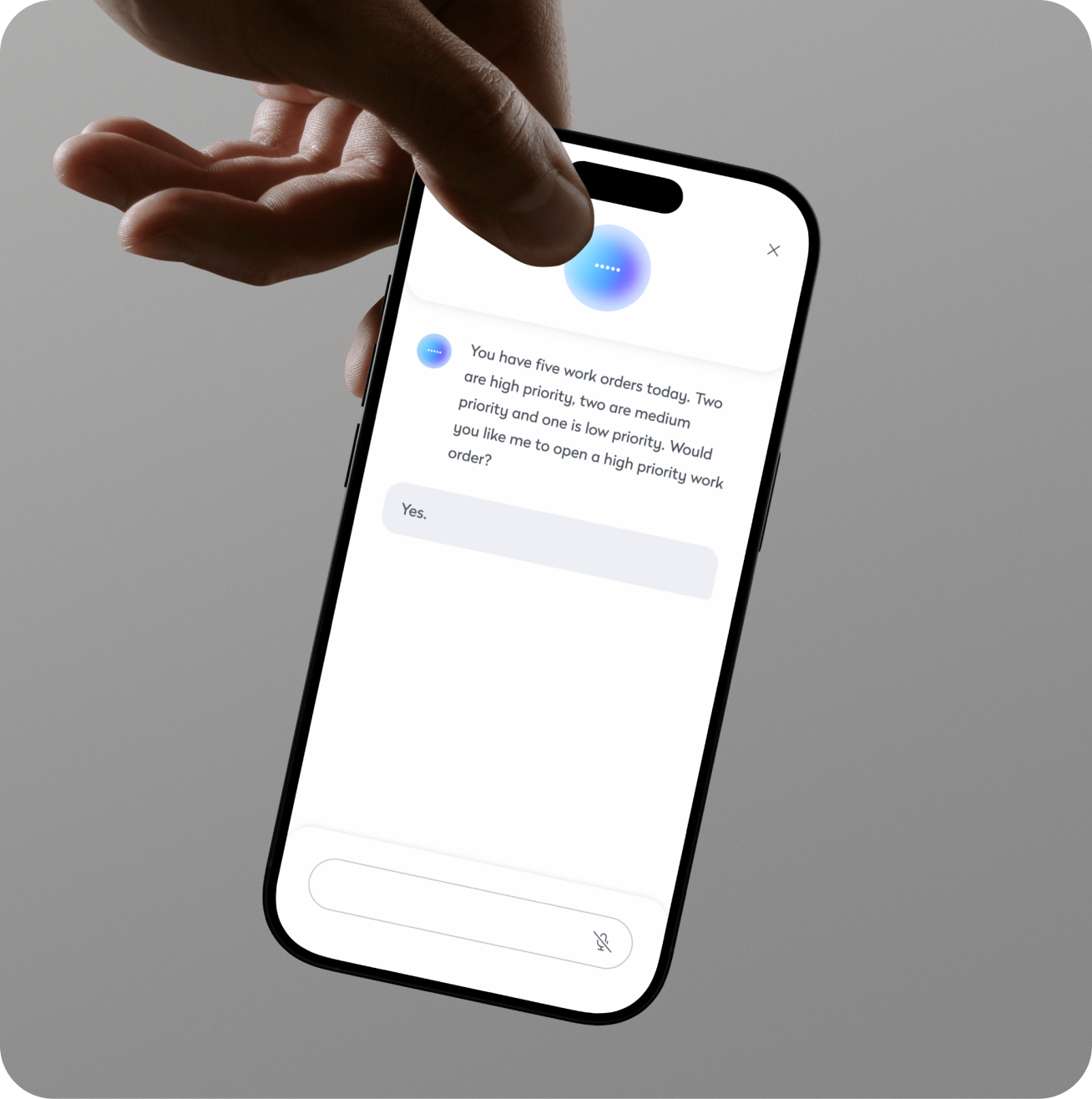
Copilot integrates voice-activated features, enabling technicians to manage work orders, inspect assets, and organize tasks hands-free. It further enhances productivity by allowing voice commands for accessing guidance, part information, and troubleshooting. In this example, the technician speaks with Copilot to open today’s most urgent work orders, enabling quick priority assessment and continued work without manual navigation, streamlining the process and improving efficiency and safety
Proactive assistance
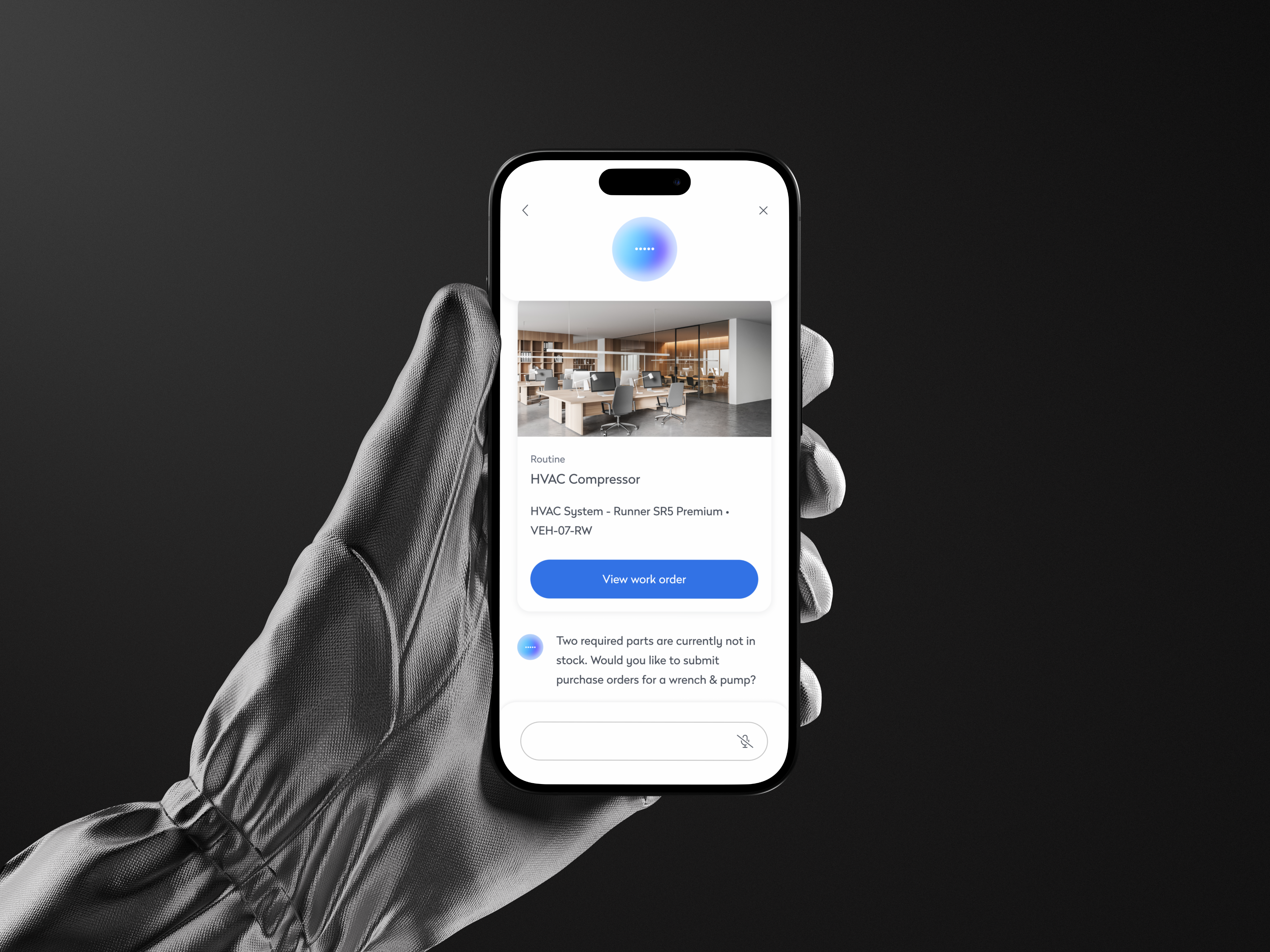
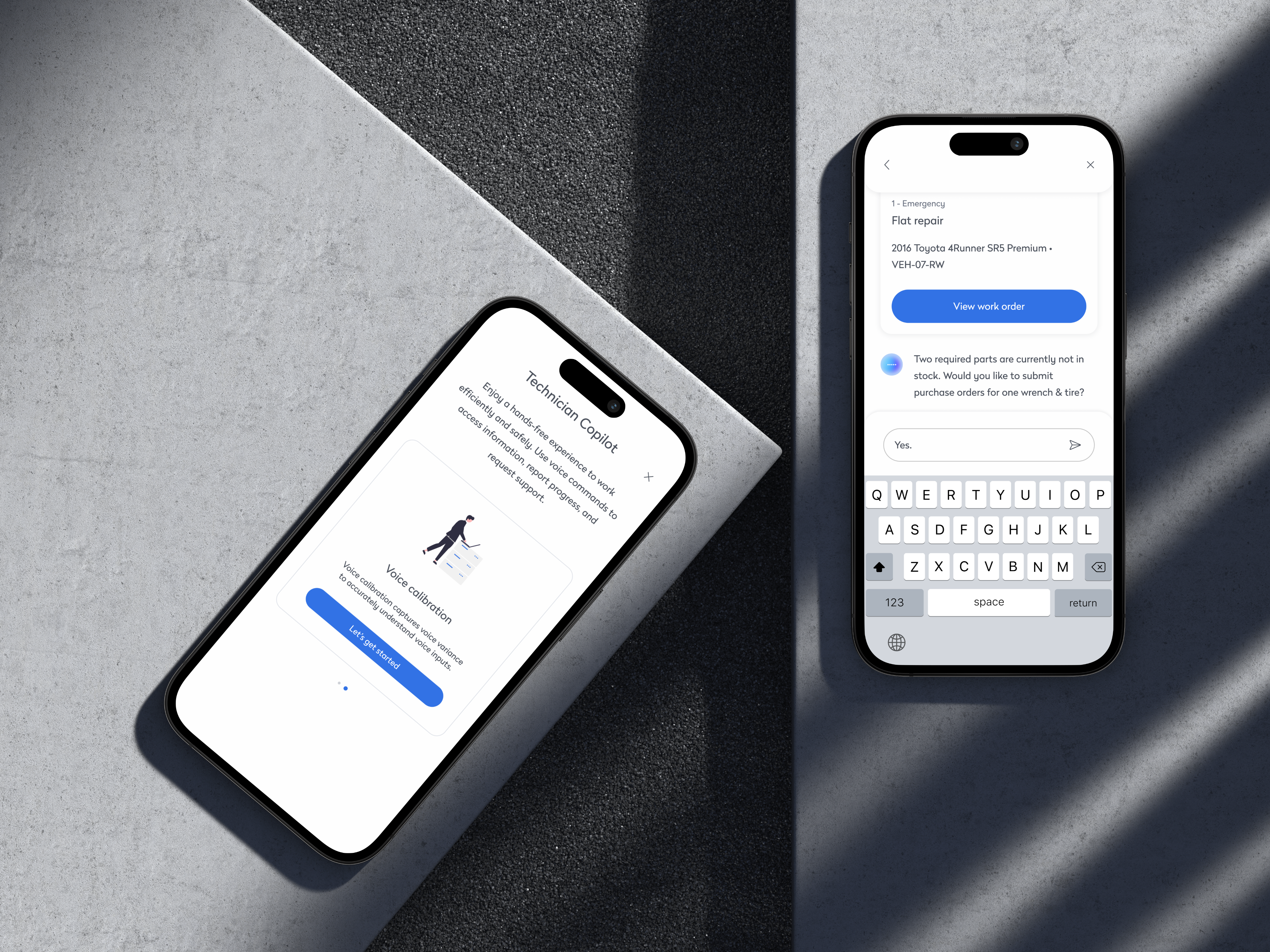
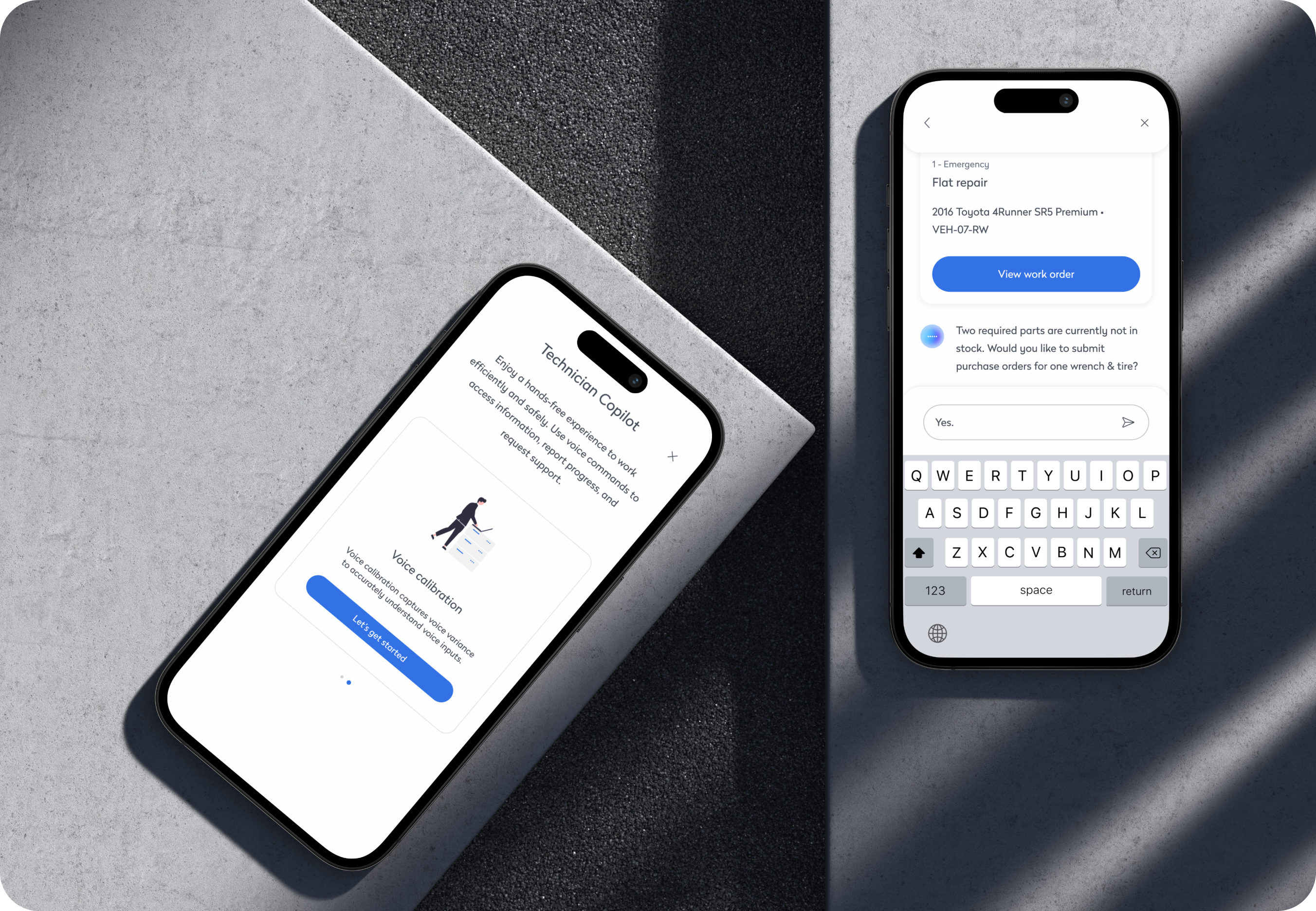
A key feature of Copilot is its ability to proactively identify and address issues, making it a central part of the app’s functionality. For example, when partsare out of stock, Copilot automatically notifies the technician and prompts them to submit purchase orders. This proactive assistance minimizes manual effort, streamlines task management, and ensures that technicians can maintain focus on their work, all while improving efficiency and reducing downtime.
Streamlined work tracking
Copilot enhances the end-of-day process by prompting technicians to quickly summarize their work. Technicians are asked to provide updates on completed tasks, needed parts, and unfinished work. This seamless reporting ensures accurate documentation, efficient task handovers, and provides valuable insights into daily progress, helping teams stay organized and focused on priorities.

Research
Redesigning for Field Usability
Increased Productivity
Technicians reported a significant reduction in time spent accessing information and updating tasks, allowing them to focus more on hands-on work.
Enhanced Safety
After relaunching with a voice-first design focused on real field workflows, feedback shifted dramatically. The app became easier to use, faster to navigate, and safer to operate — even with both hands full.
2x Faster
Voice commands streamlined workflows, cutting task time in half
↑ Accuracy
Voice input reduced manual entry errors, improving task precision in the field
↑ Adoption
High usage rates showed strong technician buy-in and workflow alignment
Outcome
Increased Productivity
Technicians reported a significant reduction in time spent accessing information and updating tasks, allowing them to focus more on hands-on work.
Enhanced Safety
The hands-free operation minimized distractions and physical interactions with devices during critical tasks, contributing to a safer work environment.
Improved Data Accuracy
Real-time voice logging ensured that task updates and reports were more accurate and comprehensive, leading to better maintenance records.
Explore more work
Unified Design System
A scalable design system used across 4 platforms. Built for speed, clarity, and dev alignment.
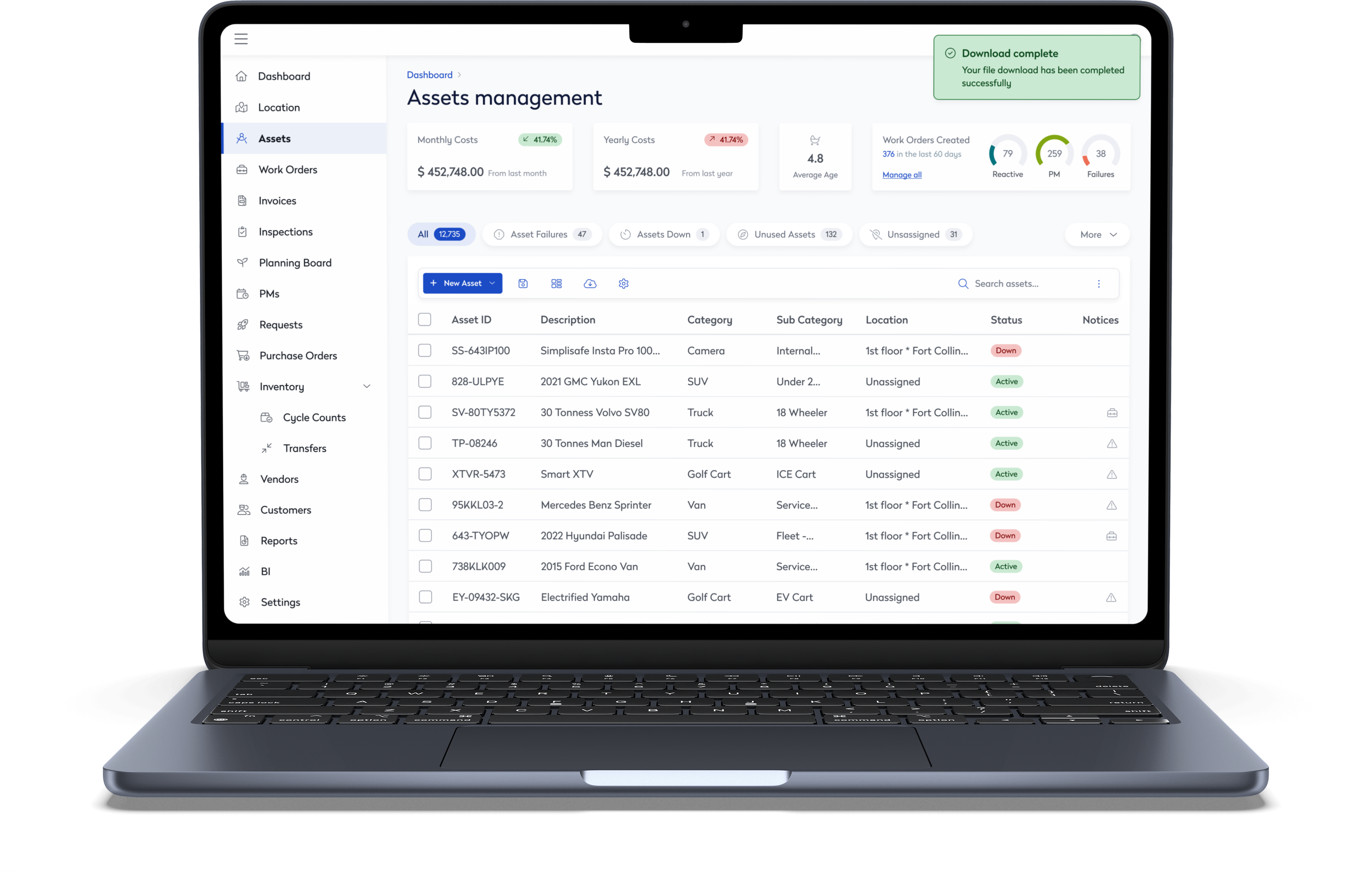
Assets Management
Redesigned a dense asset platform to feel clean and intuitive—without losing power-user functionality.


Redesigning Field Work with Voice-First AI
Background
We helped technicians cut down task time, reduce errors, and work hands-free using a voice-activated Copilot integrated into their mobile app.
Overview
Maintenance teams were losing time tapping through screens while juggling tools in the field. We designed a voice-powered Copilot that lets technicians complete tasks, log updates, and access critical info without touching their device boosting safety, speed, and accuracy.
Technician AI

Problem
Where technicians struggle most
Assessing Information
The challenge is enabling technicians to access asset details, maintenance histories, and troubleshooting guides without the need for manual navigation.
Updating Tasks
Another issue is enabling technicians to log work progress, record observations, and close work orders verbally, ensuring real-time data capture without manual input.
Generating Reports
Technicians are having trouble generating reports and summaries of completed tasks without manual effort, making documentation time-consuming and inefficient.
Solution
Bringing voice-first AI to the field
Research-driven integration
By observing real technicians on-site, we discovered their biggest bottleneck was multitasking between tools and screens. We embedded a voice-activated Copilot directly into the app’s main nav, allowing hands-free access to guidance, task updates, and asset info all without disrupting the workflow.
Hands-free task management
Copilot integrates voice-activated features, enabling technicians to manage work orders, inspect assets, and organize tasks hands-free. It further enhances productivity by allowing voice commands for accessing guidance, part information, and troubleshooting. In this example, the technician speaks with Copilot to open today’s most urgent work orders, enabling quick priority assessment and continued work without manual navigation, streamlining the process and improving efficiency and safety
Proactive assistance
A key feature of Copilot is its ability to proactively identify and address issues, making it a central part of the app’s functionality. For example, when partsare out of stock, Copilot automatically notifies the technician and prompts them to submit purchase orders. This proactive assistance minimizes manual effort, streamlines task management, and ensures that technicians can maintain focus on their work, all while improving efficiency and reducing downtime.
Streamlined work tracking
Copilot enhances the end-of-day process by prompting technicians to quickly summarize their work. Technicians are asked to provide updates on completed tasks, needed parts, and unfinished work. This seamless reporting ensures accurate documentation, efficient task handovers, and provides valuable insights into daily progress, helping teams stay organized and focused on priorities.
Research
Redesigning for Field Usability
2x Faster
Voice commands streamlined workflows, cutting task time in half
↑ Accuracy
Voice input reduced manual entry errors, improving task precision in the field
↑ Adoption
High usage rates showed strong technician buy-in and workflow alignment
Increased Productivity
Technicians reported a significant reduction in time spent accessing information and updating tasks, allowing them to focus more on hands-on work.
Enhanced Safety
After relaunching with a voice-first design focused on real field workflows, feedback shifted dramatically. The app became easier to use, faster to navigate, and safer to operate — even with both hands full.
Outcome
The results of going hands-free
Increased Productivity
Technicians reported a significant reduction in time spent accessing information and updating tasks, allowing them to focus more on hands-on work.
Enhanced Safety
The hands-free operation minimized distractions and physical interactions with devices during critical tasks, contributing to a safer work environment.
Improved Data Accuracy
Real-time voice logging ensured that task updates and reports were more accurate and comprehensive, leading to better maintenance records.
Explore more work
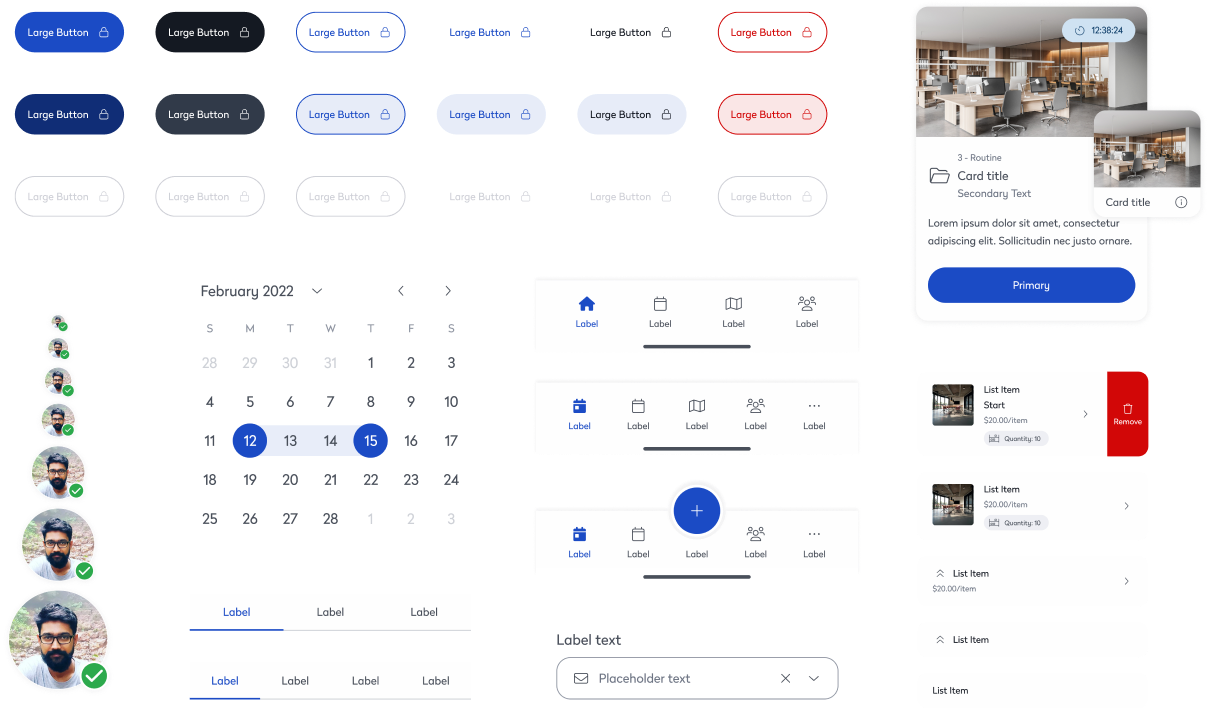
Unified Design System
A scalable design system used across 4 platforms. Built for speed, clarity, and dev alignment.
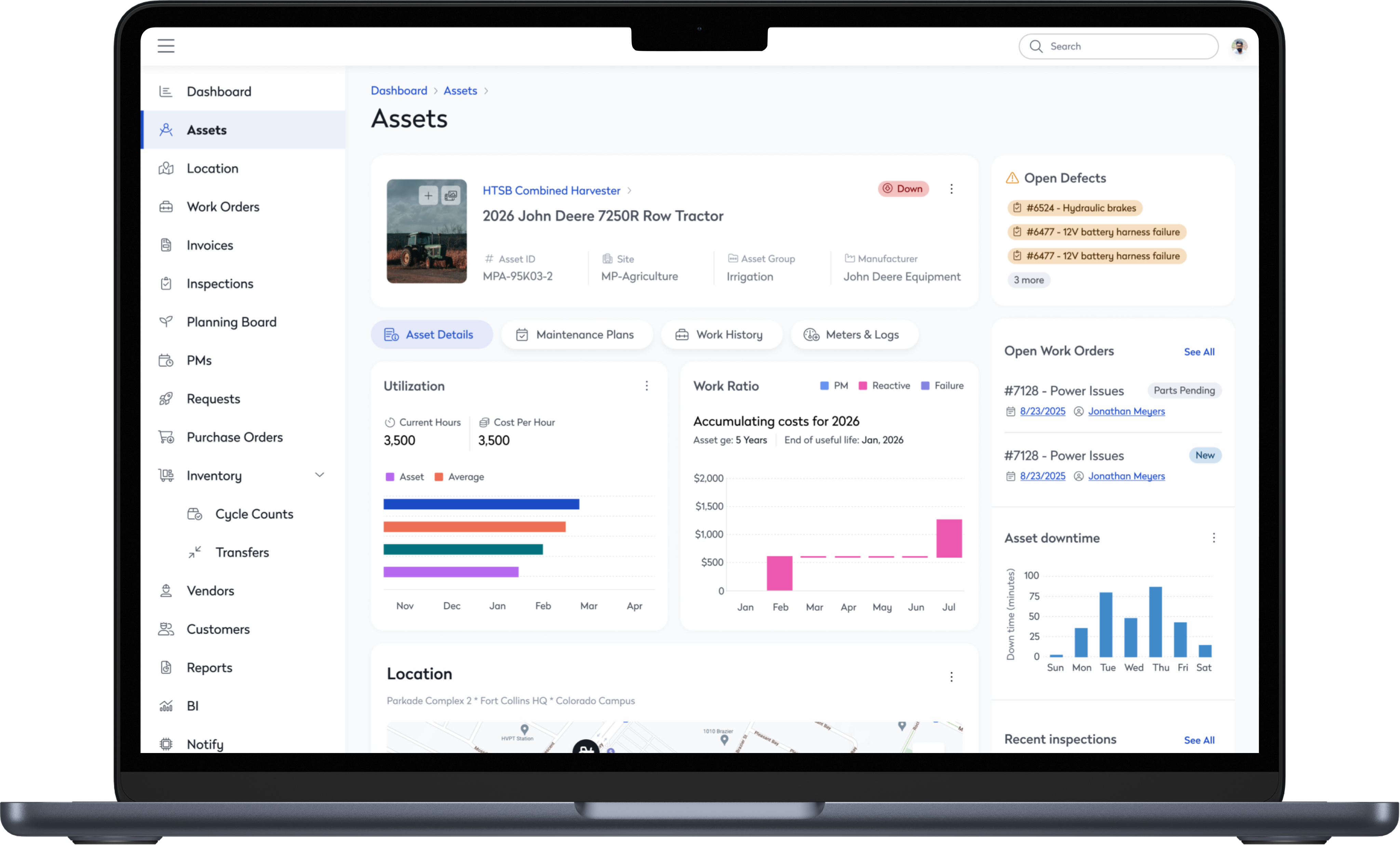
Asset Management
Redesigned a dense asset platform to feel clean and intuitive—without losing power-user functionality.

